
This will be a simple tutorial. If you have a game where you need to teleport everyone to the next room. For example: If they are spectating or just playing a game with a lot of rooms.
1x Wired trigger: repeat effect
1x Wired selector: users in area
1x Wired effect: teleport to room
1x Wired condition: furni states and positions match (optional!)
1x Wired add-on: execution limit
1x Color tile (optional!)
2x Wired room linkers (Can be found in the catalogue, needs to be purchased with credits!)

These other wireds are for to reset the color tile, again, optional. Make sure that you can only say the command! (Owner)
1x Wired trigger: user says keyword
2x Wired effect: change variable value
1x Wired condition: furni states and positions match
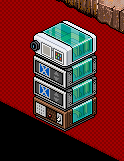
Make sure that you have another room made and put one Wired room linker in there. Then go back to the main room that you will have the wired in it.
The Wired trigger: repeat effect and Wired Add-on execution limit from this current wired stack are automatically set on default so no changing there!
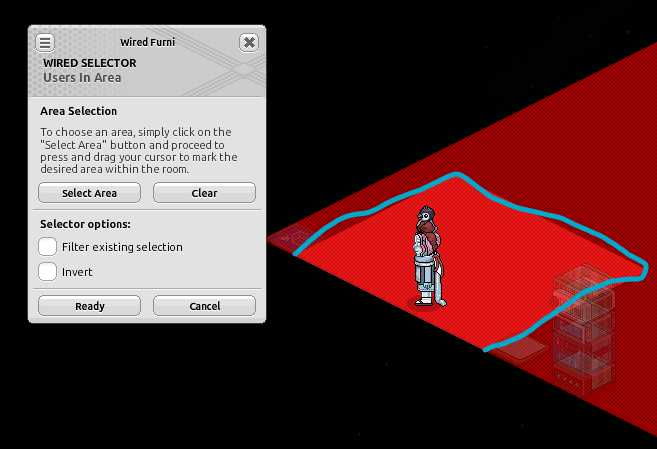
Click on your Wired selector: users in area and select the field where the users will be in to teleport to the next room. My area is within the blue area. Press ready.
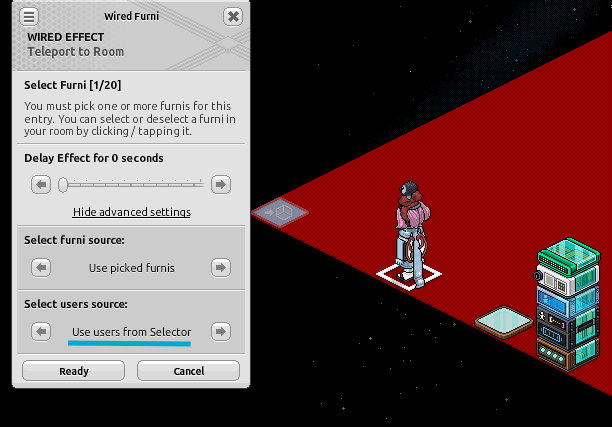
Click on your Wired effect: teleport to room and select the Wired room linker. And change the users source to: Use users from selector. Press ready.
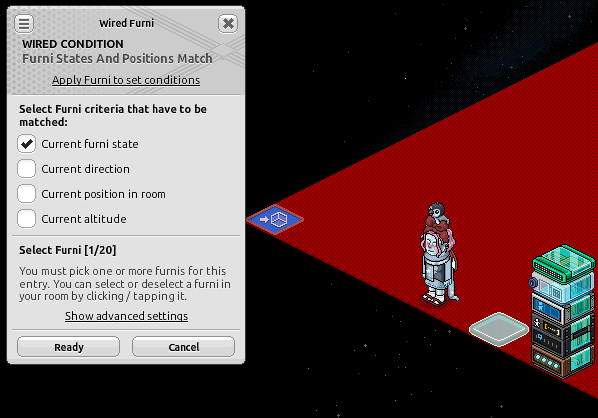
Click on your Wired condition: furni states and positions match. Click on the color tile in it's normal state which is clear/white. Tick ''Current furni state'' and select the color tile as the item. Press ready.
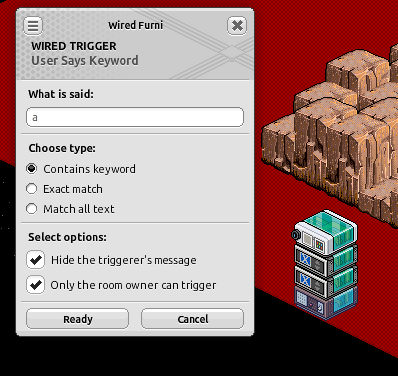
Put in a keyword that you would like to have to activate when people should teleport to the next room. Have it set to that owner can only activate it.
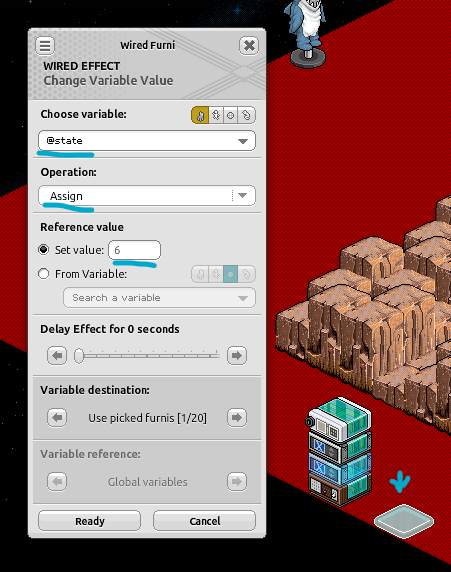
Change your variable value to the exact settings like below. Number 6 in this screenshot means the state of the color tile (green). Then select the color tile.
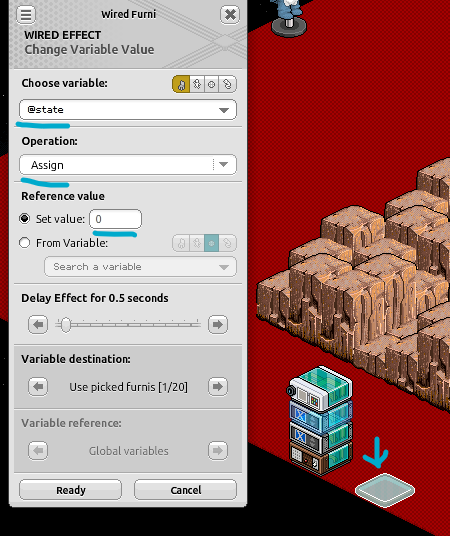
Now with your second variable value, do the same but change the number 6 to number 0 which is the clear/white state. Then select the color tile and put a delay of 0.5 seconds.
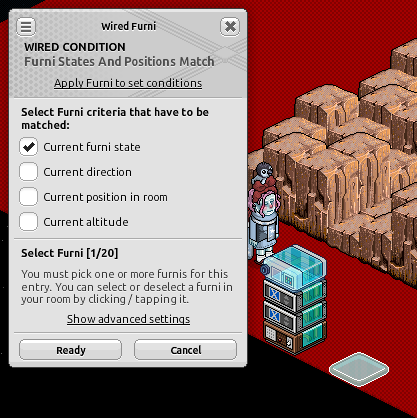
Click on your Wired condition: furni states and positions match and select the color tile in its clear/white state.
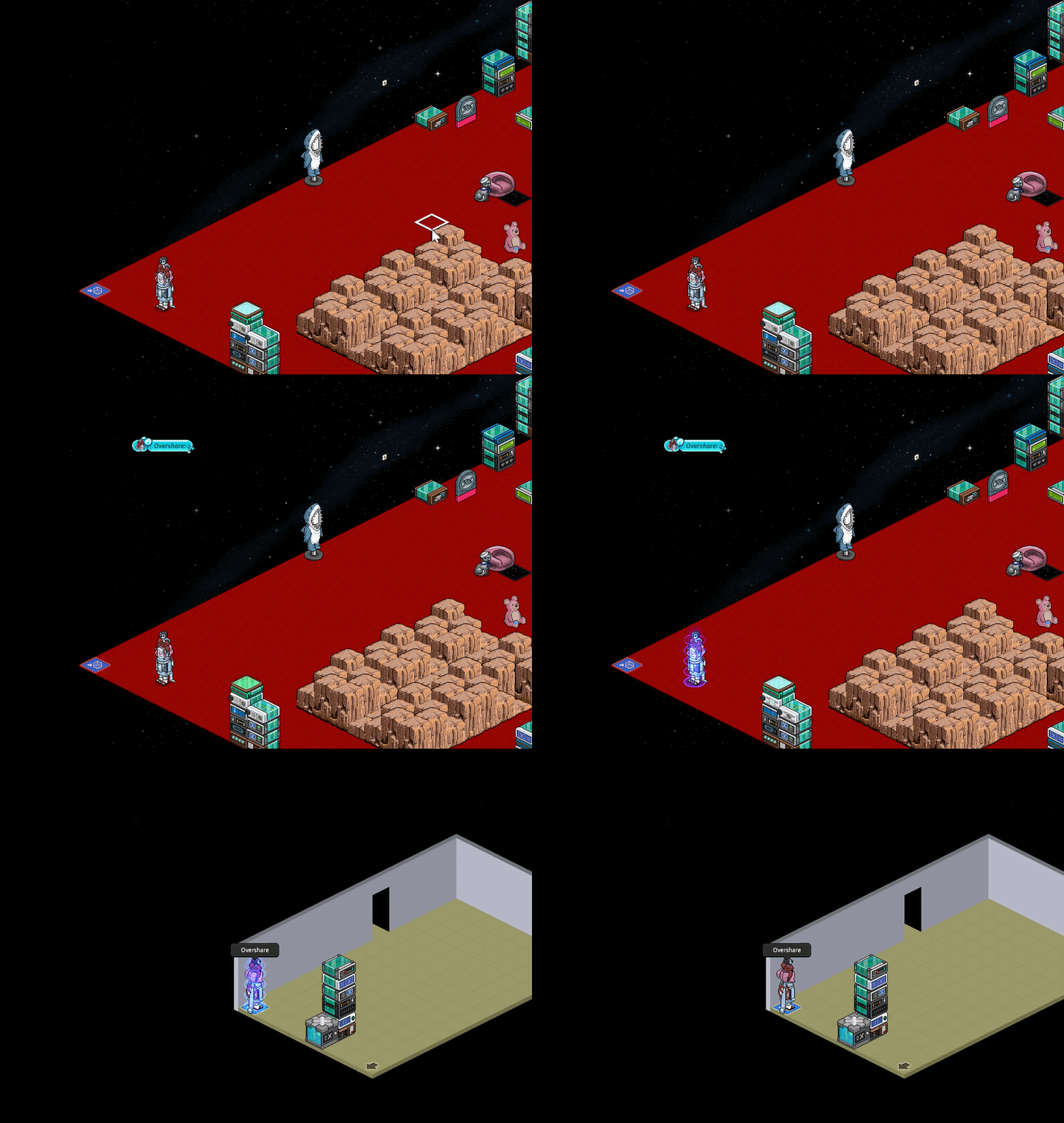
It should look like when everything is set:
I hope this tutorial is somewhat easy to follow!
What you will need:
1x Wired trigger: repeat effect
1x Wired selector: users in area
1x Wired effect: teleport to room
1x Wired condition: furni states and positions match (optional!)
1x Wired add-on: execution limit
1x Color tile (optional!)
2x Wired room linkers (Can be found in the catalogue, needs to be purchased with credits!)
These other wireds are for to reset the color tile, again, optional. Make sure that you can only say the command! (Owner)
1x Wired trigger: user says keyword
2x Wired effect: change variable value
1x Wired condition: furni states and positions match
First stack
Make sure that you have another room made and put one Wired room linker in there. Then go back to the main room that you will have the wired in it.
The Wired trigger: repeat effect and Wired Add-on execution limit from this current wired stack are automatically set on default so no changing there!
Click on your Wired selector: users in area and select the field where the users will be in to teleport to the next room. My area is within the blue area. Press ready.
Click on your Wired effect: teleport to room and select the Wired room linker. And change the users source to: Use users from selector. Press ready.
Click on your Wired condition: furni states and positions match. Click on the color tile in it's normal state which is clear/white. Tick ''Current furni state'' and select the color tile as the item. Press ready.
Second stack
Put in a keyword that you would like to have to activate when people should teleport to the next room. Have it set to that owner can only activate it.
Change your variable value to the exact settings like below. Number 6 in this screenshot means the state of the color tile (green). Then select the color tile.
Now with your second variable value, do the same but change the number 6 to number 0 which is the clear/white state. Then select the color tile and put a delay of 0.5 seconds.
Click on your Wired condition: furni states and positions match and select the color tile in its clear/white state.
GIF Example
It should look like when everything is set:
I hope this tutorial is somewhat easy to follow!
 Kaf 7 months ago
 Dani 7 months ago