
Ever wanted to own a Tug-o-War room, then here's how!
2x Wired Trigger: User Walks Off Furni
2x Wired Trigger: User Walks On Furni
4x Wired Trigger: Furni State Is Changed
3x Wired Trigger: User Says Keyword
1x Wired Trigger: Game Ends
1x Wired Trigger: User Stuff Collision
2x Wired Effect: Toggle Furni State
5x Wired Effect: Teleport to Furni
2x Wired Effect: Move and Rotate Furni
5x Wired Effect: Match Furni to Position and State
1x Wired Effect: Move Furni Towards Nearest user
2x Wired Condition: Furni States And Positions Match
2x Switches
4x Freeze Tiles
9x Tiles
1x Glowball
2x Stages
1x Counter
4x Chairs
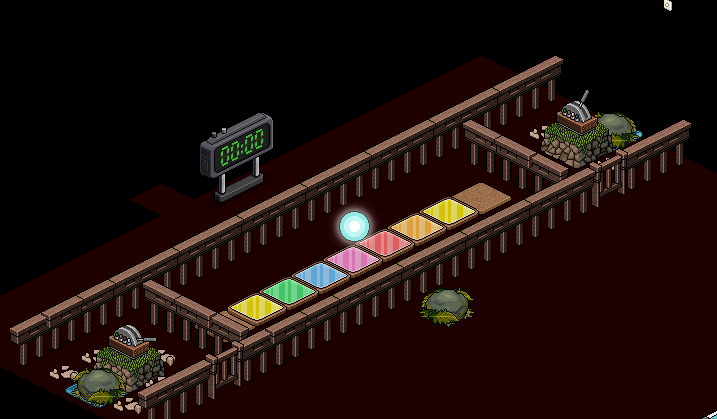
Set up your game as shown in the image below
Set up your wired as shown in the picture below
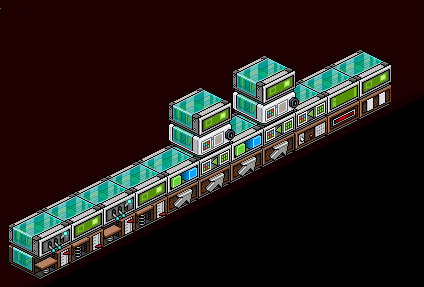
Wiring the gates to close and to teleport to the seat
NOTE: Place the Freeze Tiles underneath the Chairs and Stages
2x Wired Trigger: User Walks Off Furni
2x Wired Trigger: User Walks On Furni
2x Wired Effect: Toggle Furni State
2x Wired Effect: Teleport to Furni
Wired should look like this:
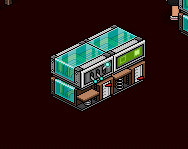
Wire the Wired Trigger: User Walks Off Furni to the gate.
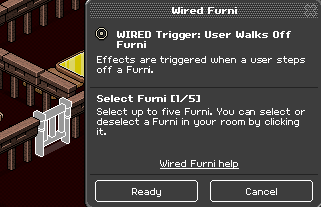
Now wire the Wired Effect: Toggle Furni State to the gate.
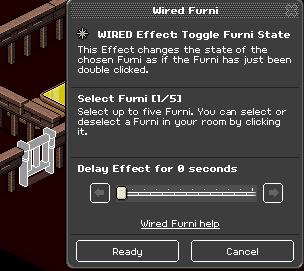
This will allow the gate to close when a user Teleports to the chair.
Now to wire the gate to teleport you to the chair.
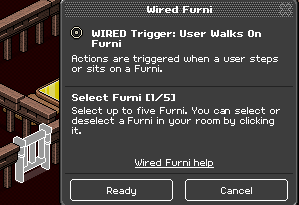
Wire the Wired Trigger: User Walks on Furni to the gate.
Now wire the Wired Effect: Teleport to Furni to the chair.
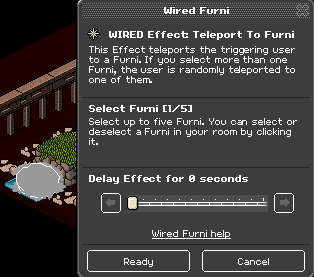
Now do the same to the to the second stack for the right side.
Wiring the switches to move the Glowball.
2x Wired Trigger: Furni State Is Changed
1x Wired Effect: Move and Rotate Furni
1x Wired Condition: Furni States and Positions Match
1x Wired Effect: Match Furni to Position and State
1x Wired Effect: Teleport to Furni
This is how the Stacks will look.
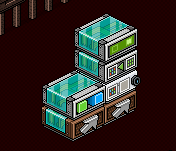
The first stack is to wire the switch and the glowball.
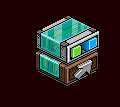
Wire the Wired Trigger: Furni State Is Change to the Switch.
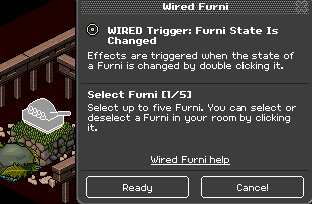
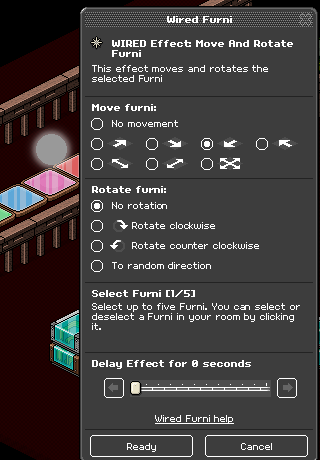
Now Wire the Wired Effect: Move and Rotate Furni to the Glowball.
Now I will show you how to wire the second stack to teleport when someone wins.
This is how the second stack looks
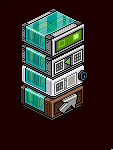
Now wire the Wired Trigger: Furni State is Changed to the Switch.
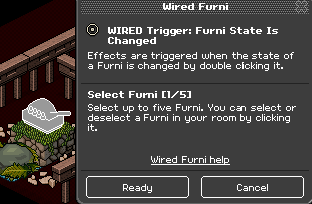
Wire the Wired Condition: Furni States and Postions Match to Glowball once you moved to the last tile on the left side and tick the last box.
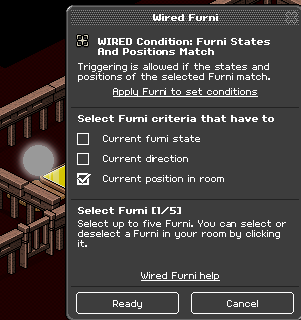
Now wire the Wired Effect: Match Furni to Position and State to the Glowball once you move it back to the middle and tick the last box.
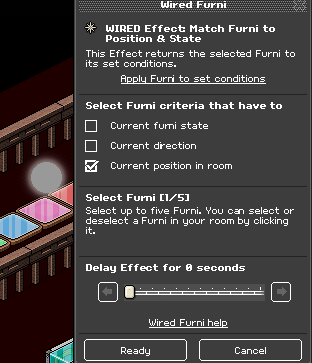
Now wire the Wired Effect: Teleport to Furni to the winning chair when they get the glowball to their end.
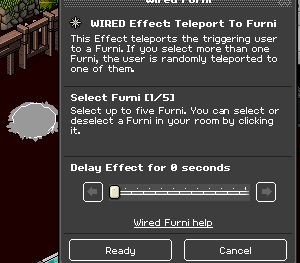
Once you have done those stack you can now repeat it to the second stack, but move the glowball to the right side and set the other stack condition.
In this step, I will show you how to wire the ball and the keyword to place the Glowball back to the middle if it doesn’t go straight to the middle (This usually occurs when the switch is spammed from clicking)
1x Wired Trigger: User Says Keyword
1x Wired Effect: Match Furni to Positions and State
This is how this stack will look.
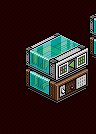
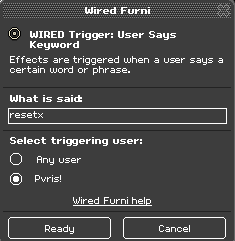
Now set the keyword which is Wired Trigger: User Says Keyword to a code you will remember.
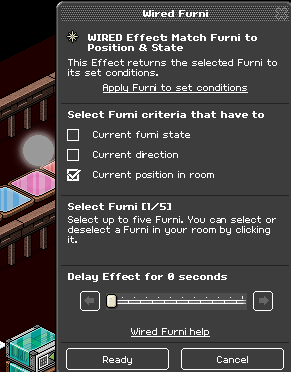
Place the Glowball back into the middle (Or leave it in the middle if it hasn’t moved) and set Wired Effect: Match Furni to Positions and State to the Glowball and tick the last box.
In this step, it can be optional if you’d like a timer in your game in this tutorial I will show you how to add it
Wired Trigger: End Game
Wired Trigger: User Stuff Collision
Wired Effect: Move Furni Towards Nearest User
Wired Effect: Teleport to Furni
This is how the stacks look.
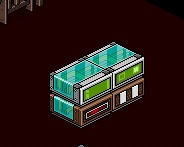
I will show you how to wire the first stack, it will look like this.
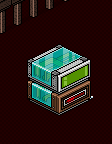
Wire the Wired Effect: Move Towards Nearest User to the Freeze tile (Move the seat, Stage And Switch if you have too) and select all 4 Freeze Tiles.
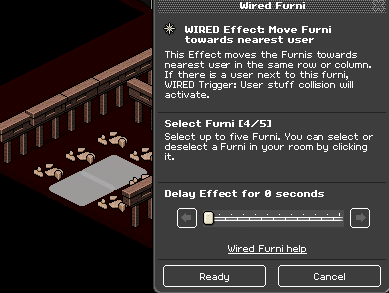
The Wired Trigger: End Game does not need to be wired as its already ready.
Now I will show you how to Wire the second stack
This is how it will look.
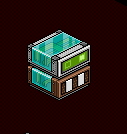
Wire the Wired Effect: Teleport to Furni to a chair outside the game in the Lobby where the players will wait for the game.
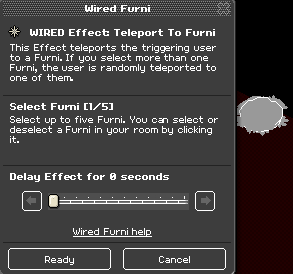
You will not have to wire Wired Trigger: User Stuff Collision as its already ready.
Now set the Counter/Timer to a set time I usually set it to 2 minutes and then the Game is ready.
What you will need
2x Wired Trigger: User Walks Off Furni
2x Wired Trigger: User Walks On Furni
4x Wired Trigger: Furni State Is Changed
3x Wired Trigger: User Says Keyword
1x Wired Trigger: Game Ends
1x Wired Trigger: User Stuff Collision
2x Wired Effect: Toggle Furni State
5x Wired Effect: Teleport to Furni
2x Wired Effect: Move and Rotate Furni
5x Wired Effect: Match Furni to Position and State
1x Wired Effect: Move Furni Towards Nearest user
2x Wired Condition: Furni States And Positions Match
2x Switches
4x Freeze Tiles
9x Tiles
1x Glowball
2x Stages
1x Counter
4x Chairs
Game Setup
Set up your game as shown in the image below
Wired Setup
Set up your wired as shown in the picture below
Step 1
Wiring the gates to close and to teleport to the seat
NOTE: Place the Freeze Tiles underneath the Chairs and Stages
2x Wired Trigger: User Walks Off Furni
2x Wired Trigger: User Walks On Furni
2x Wired Effect: Toggle Furni State
2x Wired Effect: Teleport to Furni
Wired should look like this:
Wire the Wired Trigger: User Walks Off Furni to the gate.
Now wire the Wired Effect: Toggle Furni State to the gate.
This will allow the gate to close when a user Teleports to the chair.
Now to wire the gate to teleport you to the chair.
Wire the Wired Trigger: User Walks on Furni to the gate.
Now wire the Wired Effect: Teleport to Furni to the chair.
Now do the same to the to the second stack for the right side.
Step 2
Wiring the switches to move the Glowball.
2x Wired Trigger: Furni State Is Changed
1x Wired Effect: Move and Rotate Furni
1x Wired Condition: Furni States and Positions Match
1x Wired Effect: Match Furni to Position and State
1x Wired Effect: Teleport to Furni
This is how the Stacks will look.
The first stack is to wire the switch and the glowball.
Wire the Wired Trigger: Furni State Is Change to the Switch.
Now Wire the Wired Effect: Move and Rotate Furni to the Glowball.
Now I will show you how to wire the second stack to teleport when someone wins.
This is how the second stack looks
Now wire the Wired Trigger: Furni State is Changed to the Switch.
Wire the Wired Condition: Furni States and Postions Match to Glowball once you moved to the last tile on the left side and tick the last box.
Now wire the Wired Effect: Match Furni to Position and State to the Glowball once you move it back to the middle and tick the last box.
Now wire the Wired Effect: Teleport to Furni to the winning chair when they get the glowball to their end.
Once you have done those stack you can now repeat it to the second stack, but move the glowball to the right side and set the other stack condition.
Step 3
In this step, I will show you how to wire the ball and the keyword to place the Glowball back to the middle if it doesn’t go straight to the middle (This usually occurs when the switch is spammed from clicking)
1x Wired Trigger: User Says Keyword
1x Wired Effect: Match Furni to Positions and State
This is how this stack will look.
Now set the keyword which is Wired Trigger: User Says Keyword to a code you will remember.
Place the Glowball back into the middle (Or leave it in the middle if it hasn’t moved) and set Wired Effect: Match Furni to Positions and State to the Glowball and tick the last box.
Step 4
In this step, it can be optional if you’d like a timer in your game in this tutorial I will show you how to add it
Wired Trigger: End Game
Wired Trigger: User Stuff Collision
Wired Effect: Move Furni Towards Nearest User
Wired Effect: Teleport to Furni
This is how the stacks look.
I will show you how to wire the first stack, it will look like this.
Wire the Wired Effect: Move Towards Nearest User to the Freeze tile (Move the seat, Stage And Switch if you have too) and select all 4 Freeze Tiles.
The Wired Trigger: End Game does not need to be wired as its already ready.
Now I will show you how to Wire the second stack
This is how it will look.
Wire the Wired Effect: Teleport to Furni to a chair outside the game in the Lobby where the players will wait for the game.
You will not have to wire Wired Trigger: User Stuff Collision as its already ready.
Now set the Counter/Timer to a set time I usually set it to 2 minutes and then the Game is ready.
Eevee7 years ago