
From now on you can use auto kick in your rooms! Sounds quite handy right!
Stack One
1x WIRED Variable: User Variable
Stack Two
1x WIRED Trigger: User Enters Room
1x WIRED Condition: Has Variable
1x WIRED Effect: Kick User
Stack Three
1x WIRED Selector: Users By Name (You need more of this selector when your ban list is full)
Stack Four
1x WIRED Trigger: Repeat Effect
1x WIRED Selector: Remote Selection
1x WIRED Effect: Give Variable
Place your WIRED Variable: User Variable. Give your variable a name, you can pick whatever name you want.
Tick of Permanent.
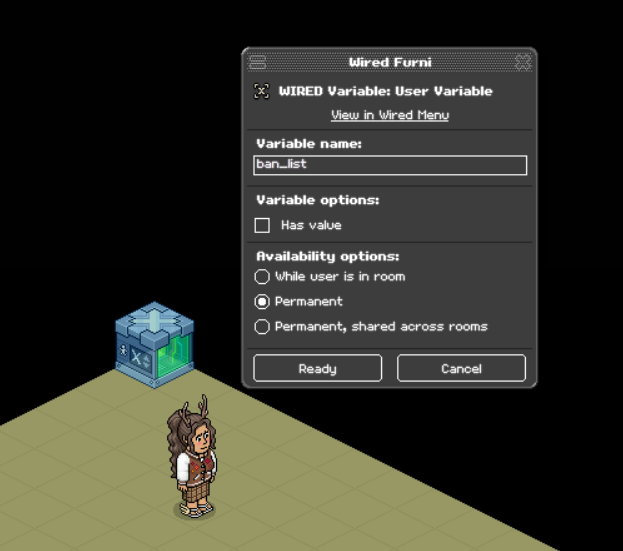
Place your WIRED Trigger: User Enters Room, no adjustments are needed.
Place your WIRED Condition: Has variable, pick the variable you are using from the list.
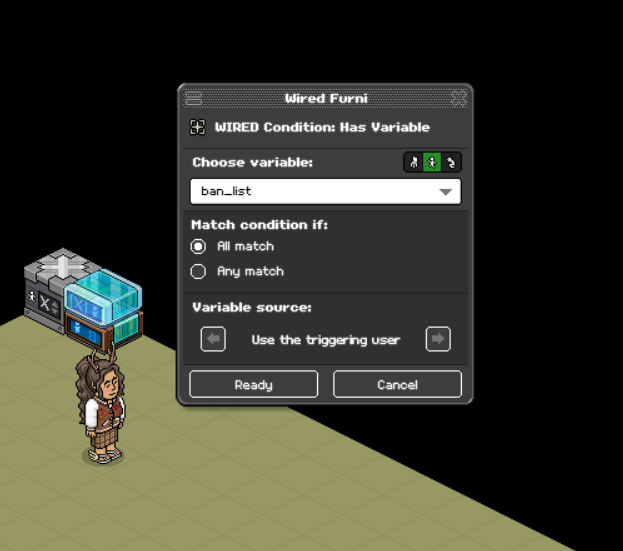
Place your 1x WIRED Effect: Kick User, you can add a message to be shown when the user is kicked or just leave it blank.
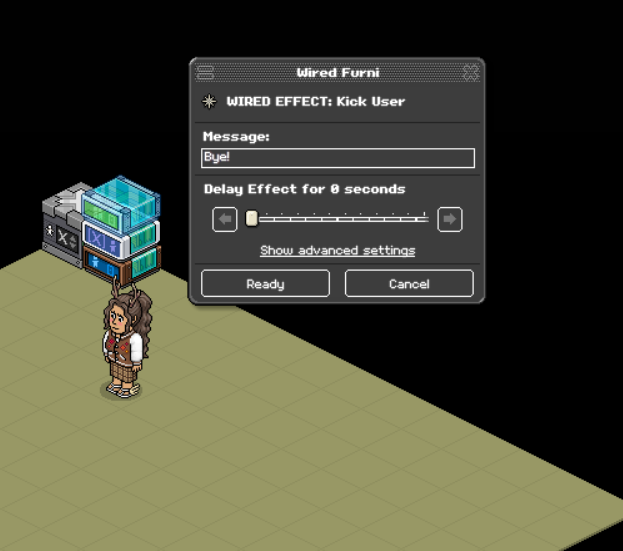
Place your WIRED Selector: Users By Name, insert the Habbo usernames you want to be auto kicked from the room. Separate each Habbo username by adding a new line and click ready.
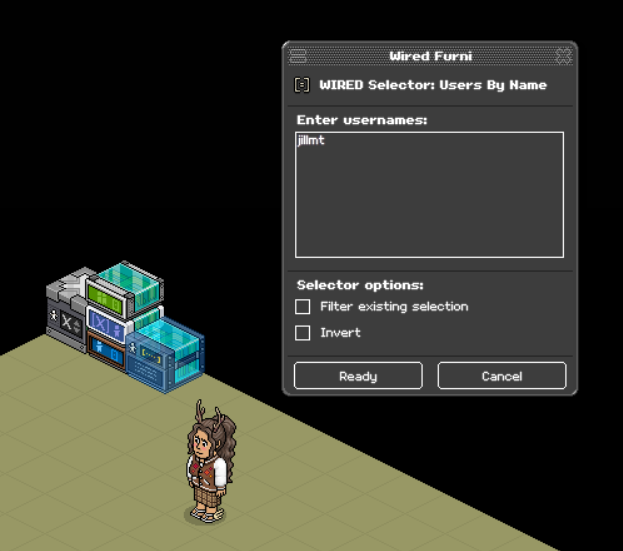
Place your WIRED Trigger: Repeat Effect, no adjustments are needed.
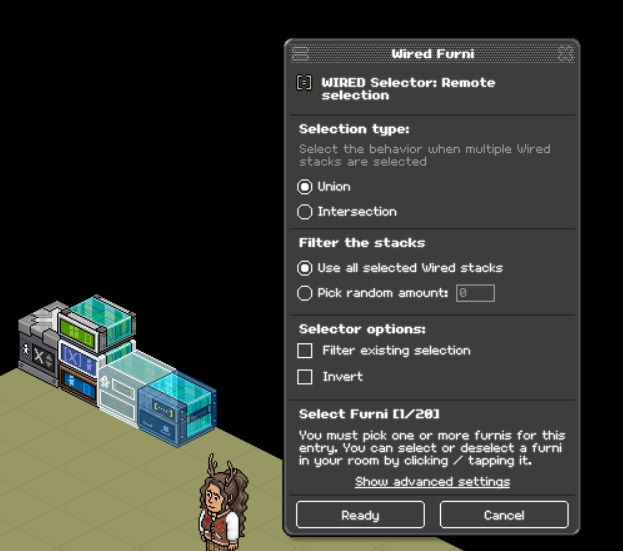
Place your WIRED Selector: Remote Selection, select your WIRED Selector: Users By Name.
Tick off Union, Use all selected Wired stacks and click ready.
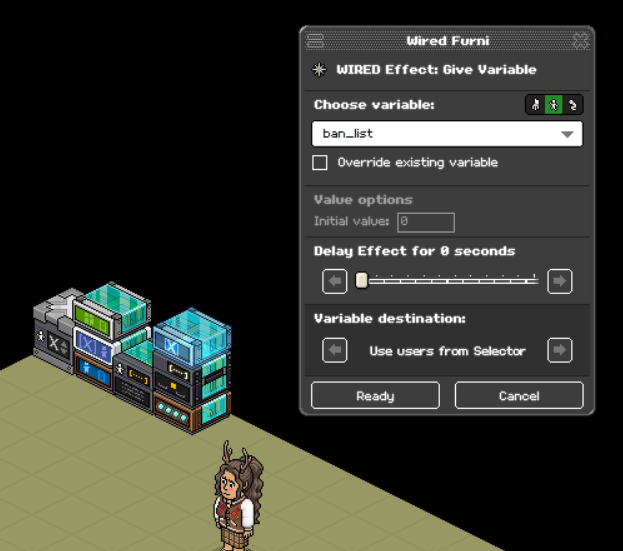
Place your WIRED Effect: Give Variable, pick the variable you are using from the list.
Click Show advanced settings, tick off Use users from Selector and click ready.
What you need
Stack One
1x WIRED Variable: User Variable
Stack Two
1x WIRED Trigger: User Enters Room
1x WIRED Condition: Has Variable
1x WIRED Effect: Kick User
Stack Three
1x WIRED Selector: Users By Name (You need more of this selector when your ban list is full)
Stack Four
1x WIRED Trigger: Repeat Effect
1x WIRED Selector: Remote Selection
1x WIRED Effect: Give Variable
Step 1 - Stack 1
Place your WIRED Variable: User Variable. Give your variable a name, you can pick whatever name you want.
Tick of Permanent.
Step 2 - Stack 2
Place your WIRED Trigger: User Enters Room, no adjustments are needed.
Step 3 - Stack 2
Place your WIRED Condition: Has variable, pick the variable you are using from the list.
Step 4 - Stack 2
Place your 1x WIRED Effect: Kick User, you can add a message to be shown when the user is kicked or just leave it blank.
Step 5 - Stack 3
Place your WIRED Selector: Users By Name, insert the Habbo usernames you want to be auto kicked from the room. Separate each Habbo username by adding a new line and click ready.
Step 6 - Stack 4
Place your WIRED Trigger: Repeat Effect, no adjustments are needed.
Step 7 - Stack 4
Place your WIRED Selector: Remote Selection, select your WIRED Selector: Users By Name.
Tick off Union, Use all selected Wired stacks and click ready.
Step 8 - Stack 4
Place your WIRED Effect: Give Variable, pick the variable you are using from the list.
Click Show advanced settings, tick off Use users from Selector and click ready.
 Rainbow 2 years ago
 Dani 2 years ago