Decorating for Xmas Quest
by  Tyler · 1 year ago

Time for the next festive quest!
Room Name: [CCH] Christmas 2024
Room Owner: noodlesoup
Or you can click the room icon at the top of this guide to be taken directly there.
Activate your Quest to begin. Activate the quest by opening the quest menu and clicking 'Activate quest'.

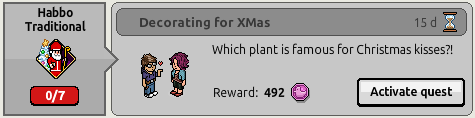
In a room, say Mistletoe to complete the first part of the quest.
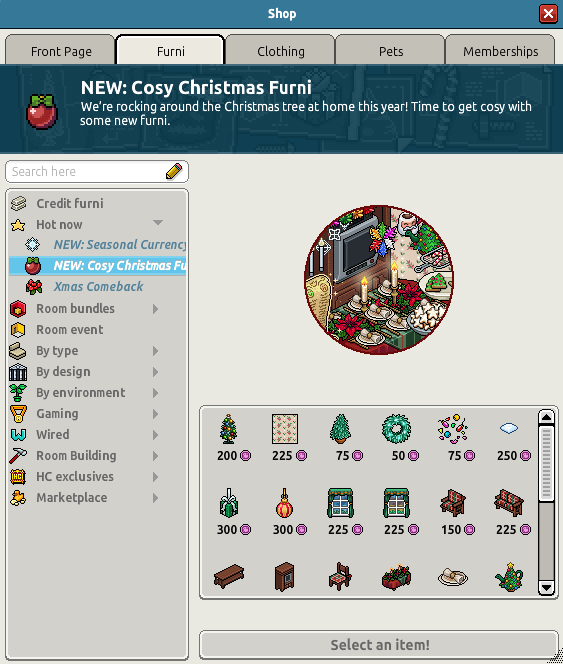
You must now purchase and place an item from the Cosy Christmas range 5 times to complete this quest.
You can either place 5 different items or just replace the same item 5 times.
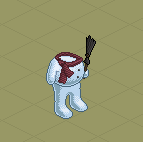
To complete this quest you need to build a snowman. To do this, place snowman parts (Snowman head, Snowman middle, Snowman legs) into your room and drag one piece onto another. Repeat this until the quest completes.
Note: You should not directly stack the pieces, place the second piece into the room first.
You can also find these snowman pieces in the BC Warehouse.
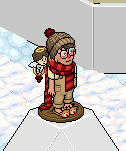
To complete this quest you need to be in a room with an Overflowing Stocking.

Head to the Christmas Hub public room and say :tele3 to teleport, then enter the teleporter.
Wait in the queue for your turn.
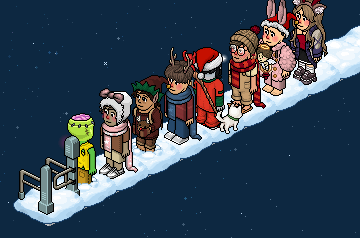
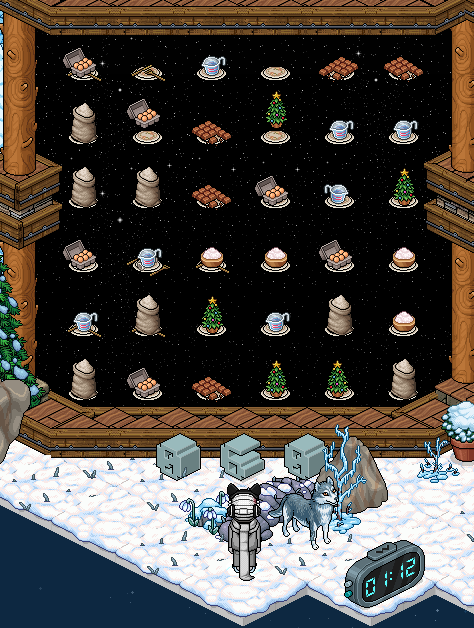
Note: You have 90 seconds to complete this game.
The aim of this game is to score 110 points.
Score points by creating rows or columns of 3 or more of the same item. Click the item you want to move, then the item you want to swap it with. The trees can only be removed if they are next to another completed match, e.g. 3 flour + 1 tree.
Scoring System;
3 of a kind - 3 Points
4 of a kind - 6 Points
5 of a kind - 9 Points
Including a tree - 5 Bonus Points
Once you have scored 110 points you will teleport, receiving your badge and reward!


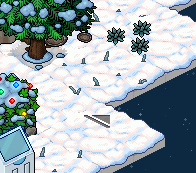
Enter the teleporter.
Wait in the queue for your turn.
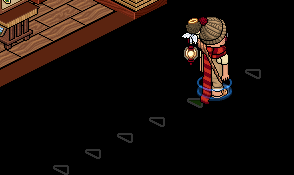
Note: You have around 4 minutes to complete the following game.
Firstly you need to select the bot you want to control by clicking the button above their head.
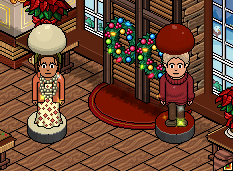
Click the floor in front of the chest to move the bot here. Then click the chest to grab some decorations.
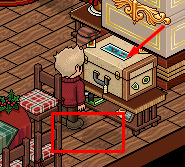
Now click under the ladder to move the bot here. Then click the tree to put on the decorations.
Repeat these 2 steps until the tree is fully decorated.
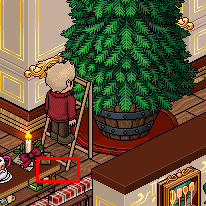
Once complete, head to the kitchen by clicking the floor position highlighted below. Then click the food which appears in front of the bot to collect it.
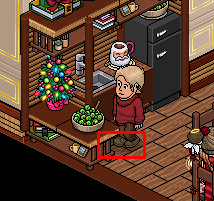
Now send your bot to the table at the following position by clicking the highlighted floor tile. The food will then be placed.
Repeat these two steps until the table is fully prepared.
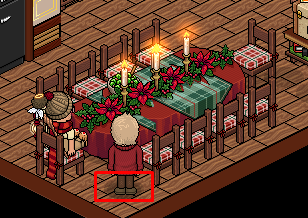
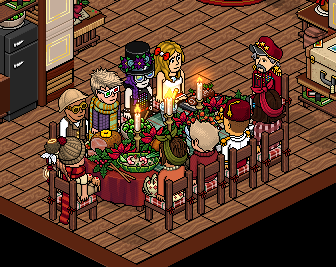
The bot will then sit down and the guests will arrive. You will then receive your badge and reward!

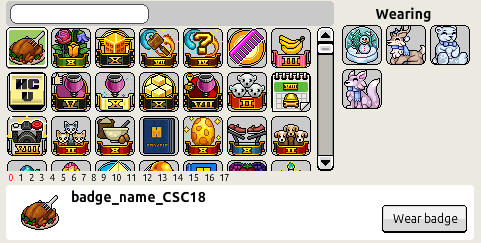
You can now wear the badge you earnt in the first game to complete the quest step.
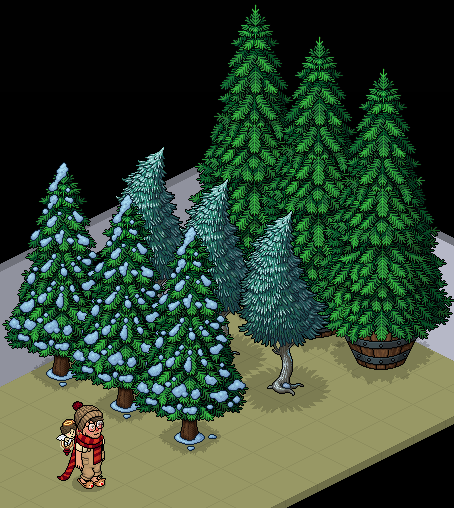
You need to be in a room with 3 of the following trees:
3 x DIY Christmas Tree
3 x Bushy Pine Tree
3 x Frosted Tree
Note: You can find these in the BC Warehouse.
You now need to place your own DIY Christmas Tree.
Note: You must own this tree, you cannot use the BC Warehouse.
Once placed, you will have completed your final quest, receiving your badge and 1200 Snowflakes! (Seasonal Currency)

Let us know in the comments section below what your thoughts on this badge quest! Did you enjoy the event?
Room Information
Room Name: [CCH] Christmas 2024
Room Owner: noodlesoup
Or you can click the room icon at the top of this guide to be taken directly there.
Activate the Quest
Activate your Quest to begin. Activate the quest by opening the quest menu and clicking 'Activate quest'.
Step 1
In a room, say Mistletoe to complete the first part of the quest.
Step 2
You must now purchase and place an item from the Cosy Christmas range 5 times to complete this quest.
You can either place 5 different items or just replace the same item 5 times.
Step 3
To complete this quest you need to build a snowman. To do this, place snowman parts (Snowman head, Snowman middle, Snowman legs) into your room and drag one piece onto another. Repeat this until the quest completes.
Note: You should not directly stack the pieces, place the second piece into the room first.
You can also find these snowman pieces in the BC Warehouse.
Step 4
To complete this quest you need to be in a room with an Overflowing Stocking.
Step 5
Head to the Christmas Hub public room and say :tele3 to teleport, then enter the teleporter.
Step 6
Wait in the queue for your turn.
Step 7
Note: You have 90 seconds to complete this game.
The aim of this game is to score 110 points.
Score points by creating rows or columns of 3 or more of the same item. Click the item you want to move, then the item you want to swap it with. The trees can only be removed if they are next to another completed match, e.g. 3 flour + 1 tree.
Scoring System;
3 of a kind - 3 Points
4 of a kind - 6 Points
5 of a kind - 9 Points
Including a tree - 5 Bonus Points
Once you have scored 110 points you will teleport, receiving your badge and reward!
Step 8
Enter the teleporter.
Step 9
Wait in the queue for your turn.
Step 10
Note: You have around 4 minutes to complete the following game.
Firstly you need to select the bot you want to control by clicking the button above their head.
Click the floor in front of the chest to move the bot here. Then click the chest to grab some decorations.
Now click under the ladder to move the bot here. Then click the tree to put on the decorations.
Repeat these 2 steps until the tree is fully decorated.
Once complete, head to the kitchen by clicking the floor position highlighted below. Then click the food which appears in front of the bot to collect it.
Now send your bot to the table at the following position by clicking the highlighted floor tile. The food will then be placed.
Repeat these two steps until the table is fully prepared.
The bot will then sit down and the guests will arrive. You will then receive your badge and reward!
Step 11
You can now wear the badge you earnt in the first game to complete the quest step.
Step 12
You need to be in a room with 3 of the following trees:
3 x DIY Christmas Tree
3 x Bushy Pine Tree
3 x Frosted Tree
Note: You can find these in the BC Warehouse.
Step 13
You now need to place your own DIY Christmas Tree.
Note: You must own this tree, you cannot use the BC Warehouse.
Once placed, you will have completed your final quest, receiving your badge and 1200 Snowflakes! (Seasonal Currency)
Let us know in the comments section below what your thoughts on this badge quest! Did you enjoy the event?
When people in the queue are saying, "This is like watching paint dry," it's safe to assume that all of the extra furni and decor, while very nice, was more frustrating than affective in generating a jovial experience. We've said this during the Habboween campaign and are continuing to say this through some of the Christmas quests. Please listen to your audience!
Everything else was nice! Thank you for the guide! God bless whoever made the Xmas dinner badge!!! ☺︎