
Get your Habbo Cameras at the ready! It's time for another LGBTQ+ competition in support of Pride Month!
 It's time to get your Habbo Cameras at the ready! This competition requires you to take a Habbo Picture of yourself celebrating LGBTQ+ Pride Month. We're expecting colourful backgrounds and outfits! You can take your Habbo Picture anywhere on Habbo as long as it's somewhat Pride-themed. Think smart, find the perfect spot to take your Habbo Picture and dress up for the occasion, you can take the picture solo or with friends!
Bring your Habbo Camera up by clicking the Habbo Camera icon on your bottom Habbo toolbar. Press the big red button when you're ready to take the picture. Once done, click the picture thumbnail underneath then click "Edit" where you can add any Habbo Filters and Effects if you wish to. Once you're happy with your chosen photo, click the "Save" button and it will prompt you to save your image to your desktop or a specific folder. You will now be ready to submit your picture! The poll is on the right side of this article, make sure to upload your finished Habbo Picture to Imgur, paste the link into the poll box then click Submit Answer.
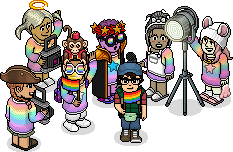
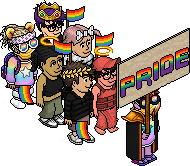
Here is just an example of what your Habbo Picture could look like. As you can see, I have jazzed mine up with Habbo effects and filters!

 Top 5 Winners - Win 20 credits, 100 tokens and a profile badge!
The top five winners will be decided by the Admin team. Everybody has an equal chance of winning as long as you have correctly followed the given theme and rules.
Everybody who takes part in this competition and submits a valid entry will be awarded a profile badge for their efforts.
Activity
It's time to get your Habbo Cameras at the ready! This competition requires you to take a Habbo Picture of yourself celebrating LGBTQ+ Pride Month. We're expecting colourful backgrounds and outfits! You can take your Habbo Picture anywhere on Habbo as long as it's somewhat Pride-themed. Think smart, find the perfect spot to take your Habbo Picture and dress up for the occasion, you can take the picture solo or with friends!Bring your Habbo Camera up by clicking the Habbo Camera icon on your bottom Habbo toolbar. Press the big red button when you're ready to take the picture. Once done, click the picture thumbnail underneath then click "Edit" where you can add any Habbo Filters and Effects if you wish to. Once you're happy with your chosen photo, click the "Save" button and it will prompt you to save your image to your desktop or a specific folder. You will now be ready to submit your picture! The poll is on the right side of this article, make sure to upload your finished Habbo Picture to Imgur, paste the link into the poll box then click Submit Answer.
Example
Here is just an example of what your Habbo Picture could look like. As you can see, I have jazzed mine up with Habbo effects and filters!
Prizes
Top 5 Winners - Win 20 credits, 100 tokens and a profile badge!The top five winners will be decided by the Admin team. Everybody has an equal chance of winning as long as you have correctly followed the given theme and rules.
Everybody who takes part in this competition and submits a valid entry will be awarded a profile badge for their efforts.
Rules
- Your HabboQuests.co account must be registered with your Habbo account.
- One entry per person, no multiple users of other accounts – This will be checked.
- Use the Habbo Camera to take your picture. You can also add Habbo filters and effects.
- You must stick to the theme of LGBTQ+ Pride, keep it colourful!
- Do not enlarge or scale your image, it ruins the quality. Use the image saved from Habbo.
- Upload your screenshot to imgur.com and post the link as your entry.
- Once you send in your Habbo Picture it can not be changed or deleted – Double check!
Karam6 years agoShrek6 years agoEevee6 years ago