[Got Game?] Driving Challenge
by  Anis · 6 years ago


Take part in an amazing driving challenge! Earn yourself a cool badge if you beat the game.
Room Name: [Got Game?] Driving challenge!
Room Owner: Amaiazing
Or you can click the room icon at the top of this guide to be taken directly there.
Step on the Banzai tiles to begin!
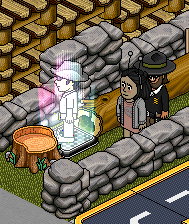
Wait patiently in the queue.

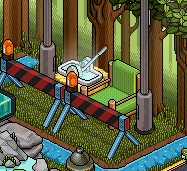
Guide the model car to the green colour tile. When the Jerry can reaches the red tile, it means you're out of fuel. Flick the switch when the jerry can is on the green tile to refuel the car. You must do this whilst standing on the middle plate so you don't use your fuel up. You have until the stop sign reaches the red tile to complete the game otherwise you will be teleported out of the game.
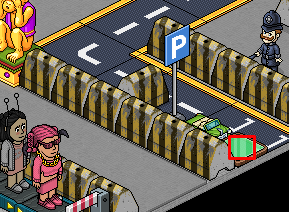

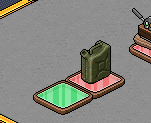
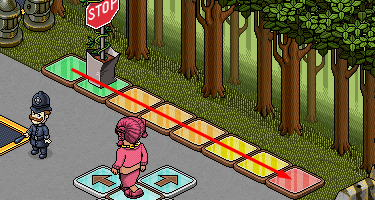
Once you've guided the car to the green tile, the middle tile will turn green. Step on it and then flick the switch to receive your badge!

Let us know in the comments section below what your thoughts on this badge quest! Did you enjoy the event?
Room Information
Room Name: [Got Game?] Driving challenge!
Room Owner: Amaiazing
Or you can click the room icon at the top of this guide to be taken directly there.
Step 1
Step on the Banzai tiles to begin!
Step 2
Wait patiently in the queue.
Step 3
Guide the model car to the green colour tile. When the Jerry can reaches the red tile, it means you're out of fuel. Flick the switch when the jerry can is on the green tile to refuel the car. You must do this whilst standing on the middle plate so you don't use your fuel up. You have until the stop sign reaches the red tile to complete the game otherwise you will be teleported out of the game.
Step 4
Once you've guided the car to the green tile, the middle tile will turn green. Step on it and then flick the switch to receive your badge!
Let us know in the comments section below what your thoughts on this badge quest! Did you enjoy the event?
Eevee6 years ago