
In this article, you will learn how to setup the game Risk It. Super quick and easy!
37x Marble Tile.
17x Brown Tile.
3x A Floor Switch.
4x Arrow Plate.
2x WIRED Trigger: Furni State Is Changed.
15x WIRED Trigger: User Walks On Furni.
16x WIRED Effect: Teleport To Furni.
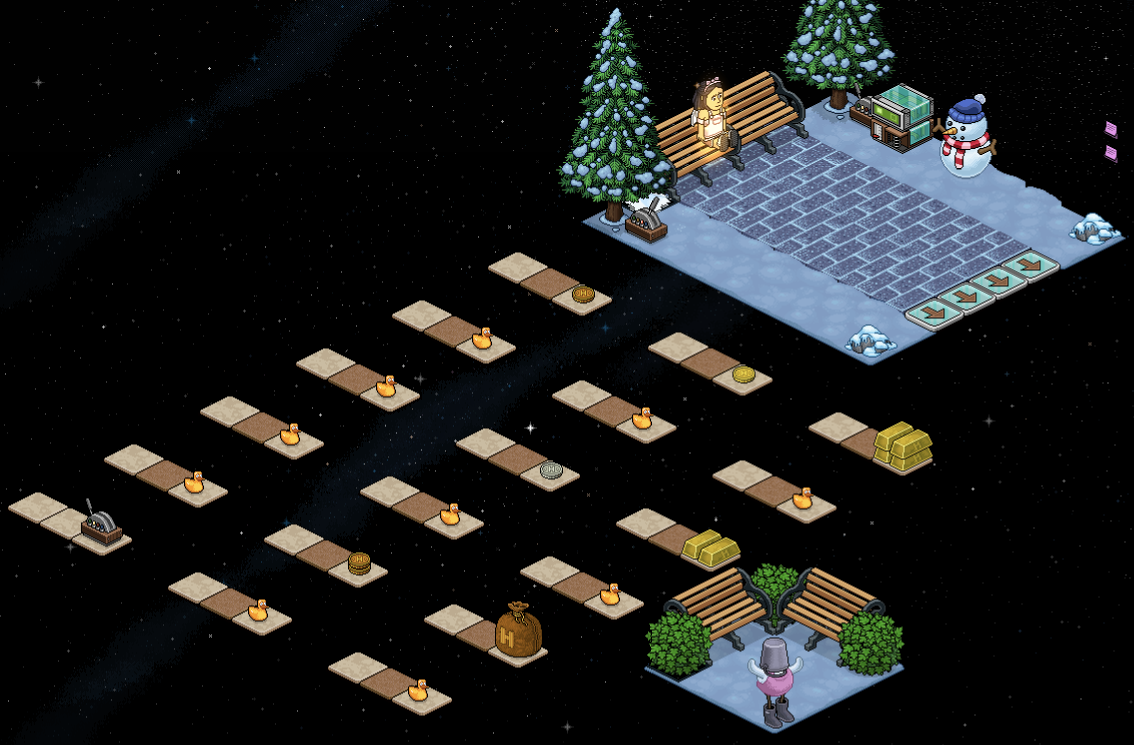
This is an example of a room layout for this particular game. Your game area must have a section of its own.
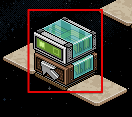
In this step, I will show you the wired to let users enter the game area. There are two different ways. You will need 2x Floor Switch, 1x WIRED Trigger: Furni State Is Changed and 1x WIRED Effect: Teleport To Furni.
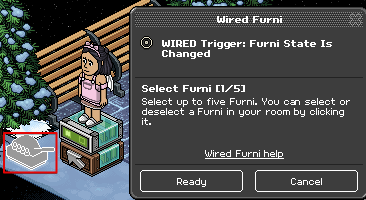
First select the WIRED Trigger: Furni State Is Changed. You will need to click the Floor Switch 2. Then click ready once the item is highlighted.
The next step is to use WIRED Effect: Teleport To Furni. Double click on the wired box and select the tile you want users to enter in the game area.
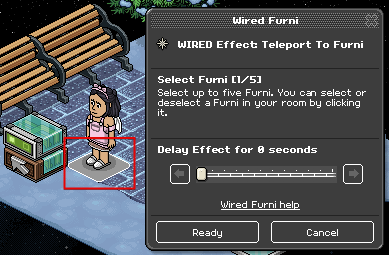
The next step is to use WIRED Effect: Teleport To Furni. Double click on the wired box and select the tile you want users to enter in the game area.
This is the second way of letting users enter the game. You will need 4x Arrow Plate, 1 Marble Tile, 1x WIRED Trigger: User Walks On Furni and 1x WIRED Effect: User Teleports to Furni.
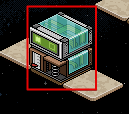
First use the WIRED Trigger: User Walks On Furni and select all 4 Arrow Plates then click ready once all are highlighted.
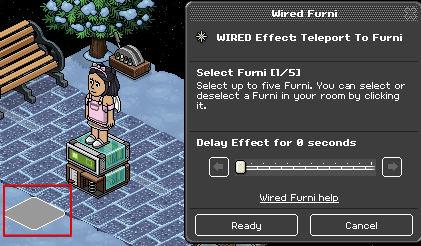
After you will need the WIRED Effect: Teleport To Furni. Make sure you click on the first tile you will be using in game.
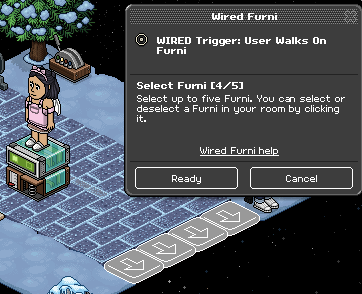
This next step will depend on how you want to set up the game. As shown in the Example Room Layout and the image below. The first level has a floor switch instead of a marble to walk on.
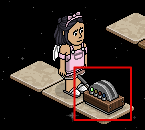
You will need 1x WIRED Trigger: Furni State Is Changed and 1x WIRED Effect: Teleport To Furni.
Taking the WIRED Trigger: Furni State Is Changed. You will need to select the Floor Switch and 1 AFK chair.
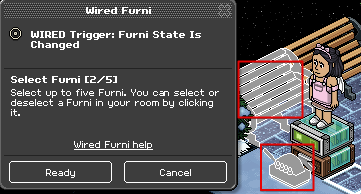
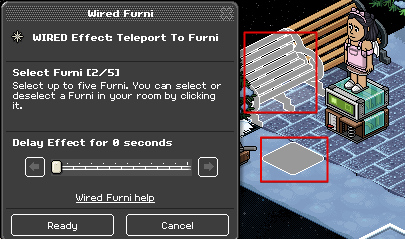
The next step is clicking on the WIRED Effect: Teleport to Furni. Making sure you highlight the Tile for the next level and AFK Chair.
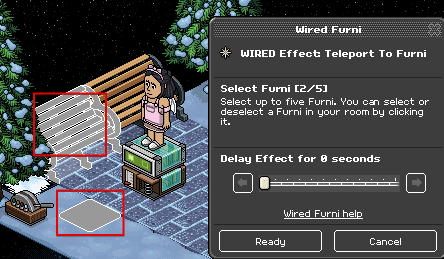
This next step is for when users will walk on a tile to teleport, instead of flicking a switch.
For this step you will need 1x WIRED Trigger: User Walks On Furni and 1x WIRED Effect: User Teleports to Furni, set up as shown below.
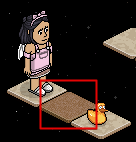
Once complete, click on the WIRED Trigger: User Walks On Furni. Then select a Marble Tile for the next level.
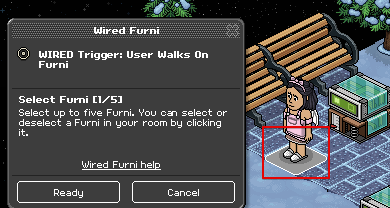
You will need WIRED Effect: User Teleports to Furni. Select the tile you are using for the next level and 1 AFK chair in the lobby. Make sure you only select one chair. That will make the game a 50/50 chance to win a prize.
You will need to repeat Step 3 and 4 for each level in the game. This will depend on what way you would like your game to be wired.
If you have any questions please don’t hesitate to ask in the comments below!
What You Will Need
37x Marble Tile.
17x Brown Tile.
3x A Floor Switch.
4x Arrow Plate.
2x WIRED Trigger: Furni State Is Changed.
15x WIRED Trigger: User Walks On Furni.
16x WIRED Effect: Teleport To Furni.
Example Room Layout
This is an example of a room layout for this particular game. Your game area must have a section of its own.
Step 1
In this step, I will show you the wired to let users enter the game area. There are two different ways. You will need 2x Floor Switch, 1x WIRED Trigger: Furni State Is Changed and 1x WIRED Effect: Teleport To Furni.
First select the WIRED Trigger: Furni State Is Changed. You will need to click the Floor Switch 2. Then click ready once the item is highlighted.
The next step is to use WIRED Effect: Teleport To Furni. Double click on the wired box and select the tile you want users to enter in the game area.
The next step is to use WIRED Effect: Teleport To Furni. Double click on the wired box and select the tile you want users to enter in the game area.
Step 2
This is the second way of letting users enter the game. You will need 4x Arrow Plate, 1 Marble Tile, 1x WIRED Trigger: User Walks On Furni and 1x WIRED Effect: User Teleports to Furni.
First use the WIRED Trigger: User Walks On Furni and select all 4 Arrow Plates then click ready once all are highlighted.
After you will need the WIRED Effect: Teleport To Furni. Make sure you click on the first tile you will be using in game.
Step 3
This next step will depend on how you want to set up the game. As shown in the Example Room Layout and the image below. The first level has a floor switch instead of a marble to walk on.
You will need 1x WIRED Trigger: Furni State Is Changed and 1x WIRED Effect: Teleport To Furni.
Taking the WIRED Trigger: Furni State Is Changed. You will need to select the Floor Switch and 1 AFK chair.
The next step is clicking on the WIRED Effect: Teleport to Furni. Making sure you highlight the Tile for the next level and AFK Chair.
Step 4
This next step is for when users will walk on a tile to teleport, instead of flicking a switch.
For this step you will need 1x WIRED Trigger: User Walks On Furni and 1x WIRED Effect: User Teleports to Furni, set up as shown below.
Once complete, click on the WIRED Trigger: User Walks On Furni. Then select a Marble Tile for the next level.
You will need WIRED Effect: User Teleports to Furni. Select the tile you are using for the next level and 1 AFK chair in the lobby. Make sure you only select one chair. That will make the game a 50/50 chance to win a prize.
You will need to repeat Step 3 and 4 for each level in the game. This will depend on what way you would like your game to be wired.
If you have any questions please don’t hesitate to ask in the comments below!
Eevee6 years ago